This is a start.
Starting at the start, I’m a full stack dev, and I’m building a site for myself without really knowing what I am using it for other than learning the framework I’m building it on and a bit of self-promotion.
What is it built on?
Why is it built on those?
Well…
I visited the JSNation Conference 2024 and saw Fred K Schott’s talk about what was new in Astro (which I hadn’t heard of) and was quite taken with the idea of islands and getting rid of as much front end code as I could.
Taking this and running with it, I built a small Christmas jukebox demo to show people in the office during our (mostly) remote workers’ Christmas get together. And then promptly forgot about it and went back to normal work with tech stack that I had inherited.
So…I thought I would see what had changed since then and built a site from scratch - something that I haven’t done for a number of years.
Tailwind CSS, no reason other than I haven’t used it before.
I guess I will find out what plugins, addons and other bits of plumbing or painting I will need as I work out what I want and realise what is broken or not working very well.
What is in my package.json?
I did:
npm create astro@latest astroblog
selected the blog template and all of the default values for everything else, giving my project the really creative name of astroblog.
I then installed Tailwind CSS using these instructions. The only thing I did differently to this was to clear out the global.css file and replace it with just one line:
@import "tailwindcss";
So my dependencies look like this:
"dependencies": {
  "@astrojs/mdx": "^5.0.4",
  "@astrojs/react": "^5.0.4",
  "@astrojs/rss": "^4.0.18",
  "@astrojs/sitemap": "^3.7.2",
  "@tailwindcss/vite": "^4.2.4",
  "@types/react": "^19.2.14",
  "@types/react-dom": "^19.2.3",
  "astro": "^6.1.9",
  "react": "^19.2.6",
  "react-dom": "^19.2.6",
  "sharp": "^0.34.3",
  "tailwindcss": "^4.2.4"
},
Running the app using npm run dev gave me a surprisingly ugly-looking page, as I am sure you would agree.
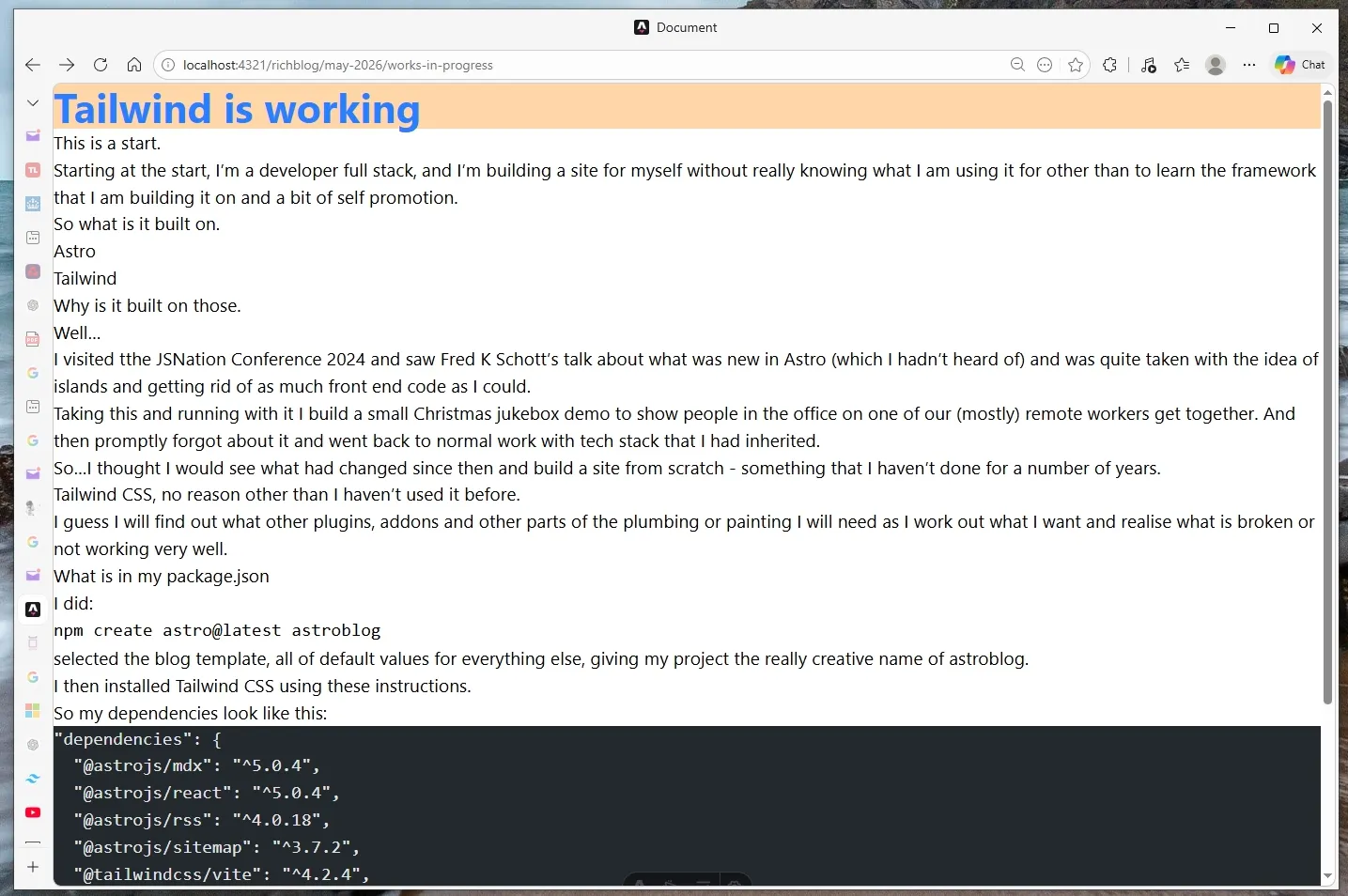
The out of the box installation I described above adds some nice styling, replacing the styles in global.css with the Tailwind import gets rid of all that.
However I was able to test whether Tailwind was working by changing my \src\layouts\BlogPost.astro to look like this:
---
import "../styles/global.css";
---

<!doctype html>
<html lang="en">
  <head>
    <meta charset="UTF-8" />
    <meta name="viewport" content="width=device-width, initial-scale=1.0" />
    <title>Document</title>
  </head>
  <body class="min-h-screen">
    <div class="flex bg-orange-200 text-4xl font-bold text-blue-500">
      Tailwind is working
    </div>

    <slot />
  </body>
</html>
So that’s the first post, I have a working site, of sorts, it looks ugly, but it’s live and on web for all or nobody to see. Next steps are to make it a bit more legible, add a home page tidy the blog index.